
Running a collection
The collection runner executes every saved request in a collection, in order, against the active environment. You can run a collection from the UI or from the command line.
From the UI
- Open a collection's overflow menu (see Sidebar and tabs for where this lives).
- Click Run collection.
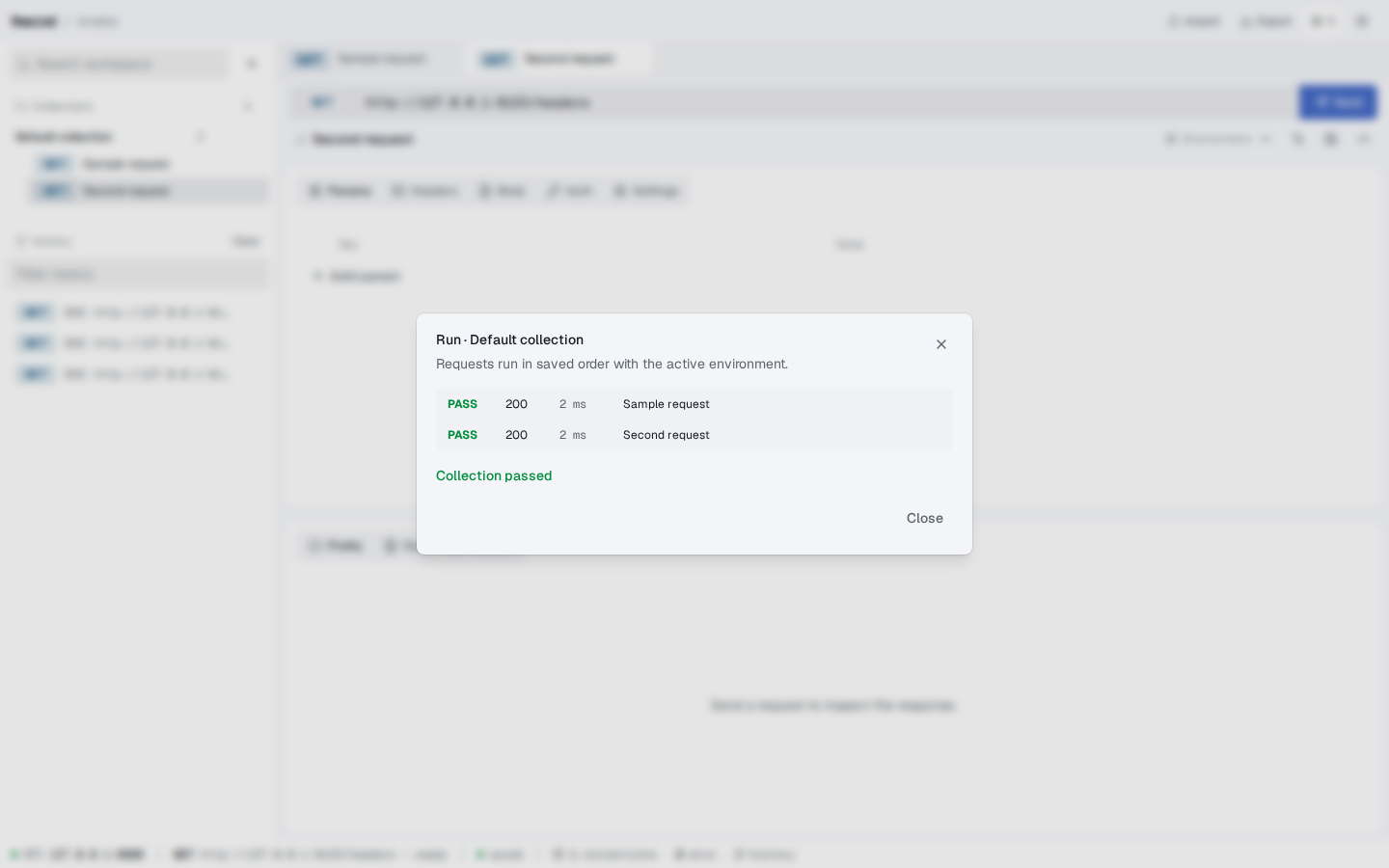
- A dialog opens showing the collection name. While the runner is busy, the dialog shows a "Running collection…" placeholder. When it finishes, a table of results is displayed.
The results table has one row per request, with:
- PASS / FAIL in green or red
- The response status code (or
ERRif the request never got a response) - The request duration in milliseconds
- The request name
- The error message, if any, below the row
A summary line at the bottom reads "Collection passed" or "Collection failed" depending on whether every request passed.
A request is considered passed if its response status is less than 400. Anything else — including network errors — counts as a failure.
Screenshot — Runner dialog with PASS/FAIL rows, status, duration, request name
Stop on failure
The runner executes requests in the order they're stored in the collection (the sortOrder field). If a request fails, the runner continues to the next one. There is no "stop on failure" toggle in the UI yet; if you need it, use the CLI with --stop-on-failure.
From the CLI
The CLI runner is a separate binary that calls the same backend API. It is part of the apps/api package and is exposed at the repo root as bun run cli ….
bun run cli run <collectionId> --report jsonThe command-line options are:
| Flag | Meaning |
|---|---|
<collectionId> | The collection to run. Required, positional. |
--environment <id> | Override the active environment. |
--url <api-url> | Base URL of the running API. Defaults to http://127.0.0.1:8000. |
--stop-on-failure | Stop on the first failed request. |
--report console (default) | Print one PASS/FAIL line per request. |
--report json | Print a single JSON object on stdout. |
--report junit | Print a JUnit XML report on stdout, suitable for CI. |
The CLI exits with code 0 if every request passed and 1 if anything failed. An invalid invocation (no collection id, unknown flag, unreachable API) exits with code 2.
Console output (default)
PASS  200  312ms  List users
PASS  200  184ms  Get user
FAIL  500  402ms  Create user — Internal Server Error
Collection failed.
JSON output
bun run cli run <collectionId> --report json{
"collectionId": "col_abc123",
"startedAt": "2024-09-12T08:30:00.000Z",
"finishedAt": "2024-09-12T08:30:04.000Z",
"passed": false,
"results": [
{ "requestId": "req_a", "name": "List users", "passed": true, "status": 200, "durationMs": 312 },
{ "requestId": "req_b", "name": "Get user", "passed": true, "status": 200, "durationMs": 184 },
{ "requestId": "req_c", "name": "Create user", "passed": false, "status": 500, "durationMs": 402, "error": "Internal Server Error" }
]
}JUnit output (for CI)
bun run cli run <collectionId> --report junit > results.xmlEmits a JUnit <testsuite> with one <testcase> per request. Failed requests include a <failure message="…">. The time attribute is the request's duration in seconds.
How the runner differs from sending a request
The runner uses the same /api/v1/runner endpoint internally. The differences are:
- Requests are sent sequentially, not in parallel.
- Every request shares the same execution context and active environment unless
--environmentis passed. - The runner does not follow the per-request
followRedirectssetting as strictly as the request area does; redirects are followed by default to keep the runner output predictable. - History entries are created for every executed request, including failures. You can browse them afterwards from the sidebar — see Viewing and filtering history.
What's next?
- Authentication — most collections will use a Bearer token or API key
- Environments — point the runner at a different backend by switching environments
- API surface — the underlying
POST /api/v1/runnerendpoint