
Keyboard shortcuts
Rewind is designed to keep your hands on the keyboard. Most actions have a shortcut, and a few only exist as shortcuts.
Global
| Shortcut | Action |
|---|---|
Ctrl+K / Cmd+K | Open the command palette |
Ctrl+Enter / Cmd+Enter | Send the current request |
Ctrl+S / Cmd+S | Save the current request |
Ctrl+N / Cmd+N | Open a new untitled request |
/ | Focus the URL bar |
Esc | Close the current modal, sheet, or popover |
Inside the URL bar
| Shortcut | Action |
|---|---|
Enter | Send the request |
Focus + Tab | Move to the next control (method picker, then Send) |
The URL bar treats the visible text as a single source of truth. Typing into it parses out the path and query string on blur; pressing Enter immediately sends whatever is currently in the field.
Command palette
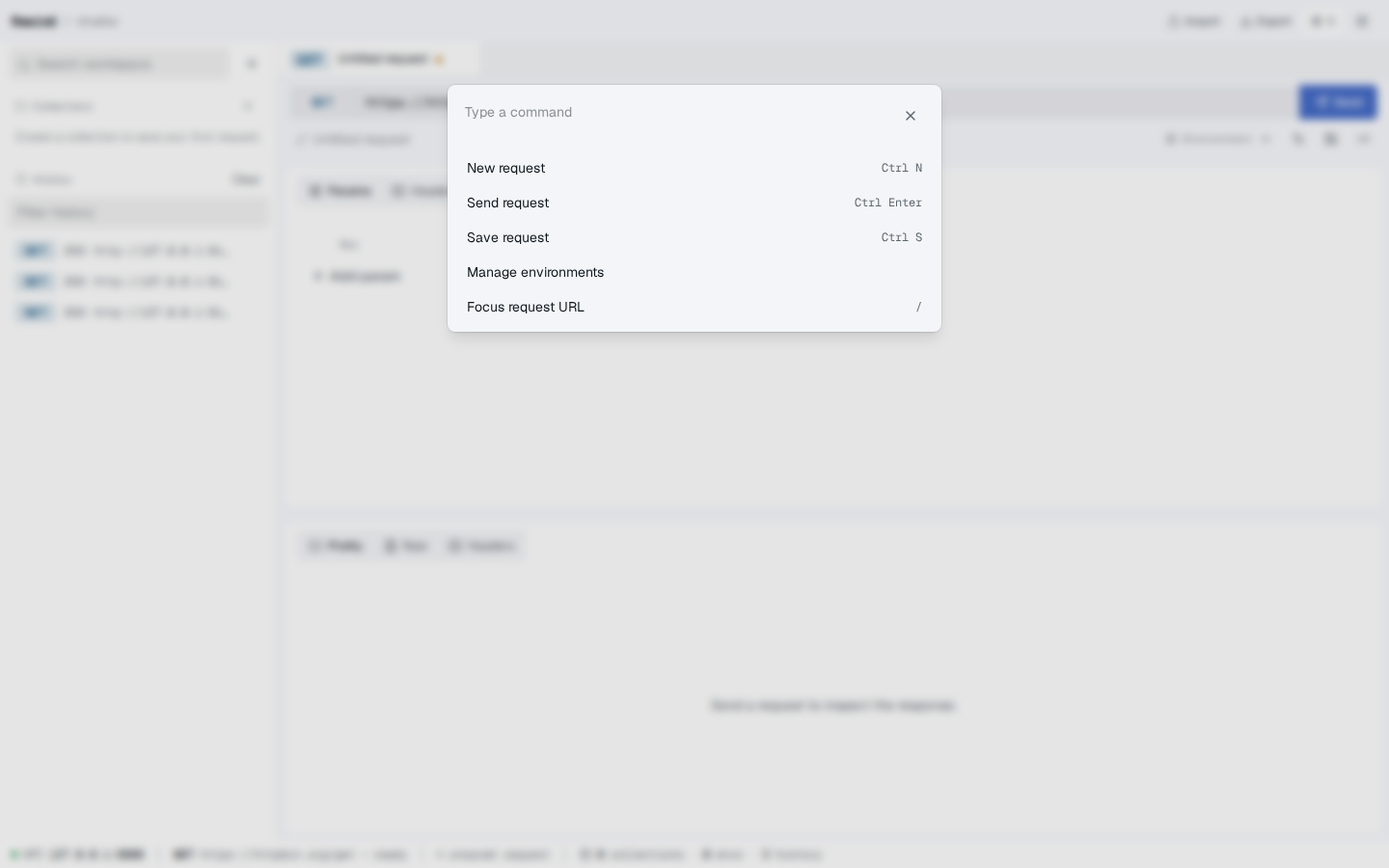
Ctrl+K (or Cmd+K on macOS) opens a small dialog with a search input. Type a few letters to filter the available actions:
- New request (
Ctrl+N) - Send request (
Ctrl+Enter) - Save request (
Ctrl+S) - Manage environments — opens the Environments sheet
- Focus request URL (
/)
Pick an action with Enter or by clicking. Esc closes the palette without doing anything.
Screenshot — Command palette with the New request and Send request actions
Tabs
| Shortcut | Action |
|---|---|
| Click on a tab | Switch to that request |
Click the × on a tab | Close that request (with confirmation if dirty) |
| Drag a tab | Reorder tabs |
There is no keyboard shortcut for switching between tabs by default. Use the mouse, or focus the tab strip with Tab after pressing Ctrl+K and pick a request through the command palette if you add that command later. The tab strip itself is described in Sidebar and tabs.
Sheets, dialogs, and popovers
| Shortcut | Action |
|---|---|
Esc | Close the current sheet, dialog, or popover |
Enter (inside an input) | Submit if the form has a single primary action |
Tab / Shift+Tab | Move between focusable elements |
The Import dialog, Run collection dialog, Move dialog, and Environments sheet all follow the same rules. Closing one with Esc is equivalent to clicking Cancel or Close.
What's next?
- Workspace overview — where these shortcuts act
- Sending your first request — the one shortcut worth memorizing first